Manage School ID Cards10x Faster
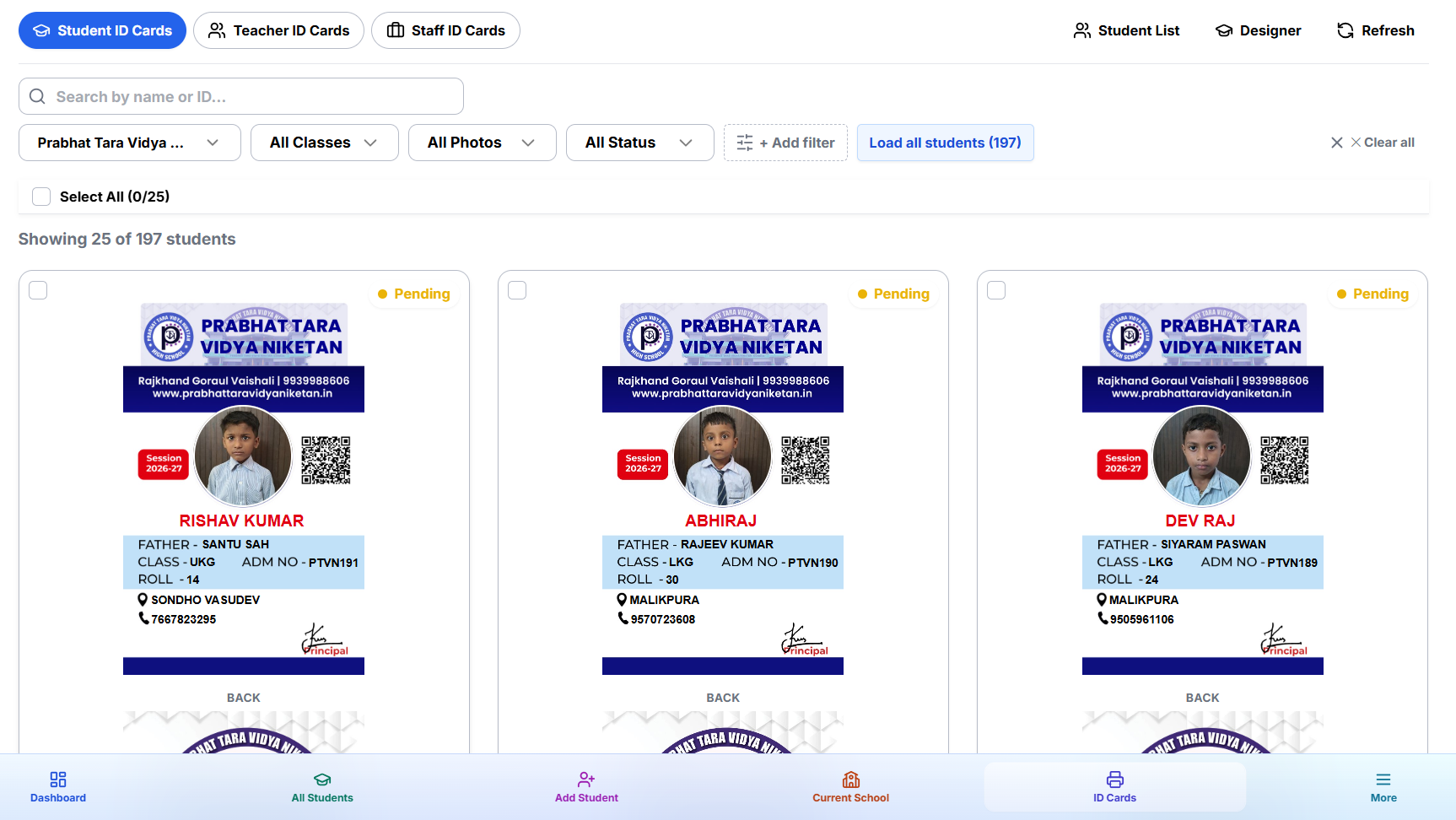
One account to manage all your schools. Add students, design cards, and export them for printing — 100% free.
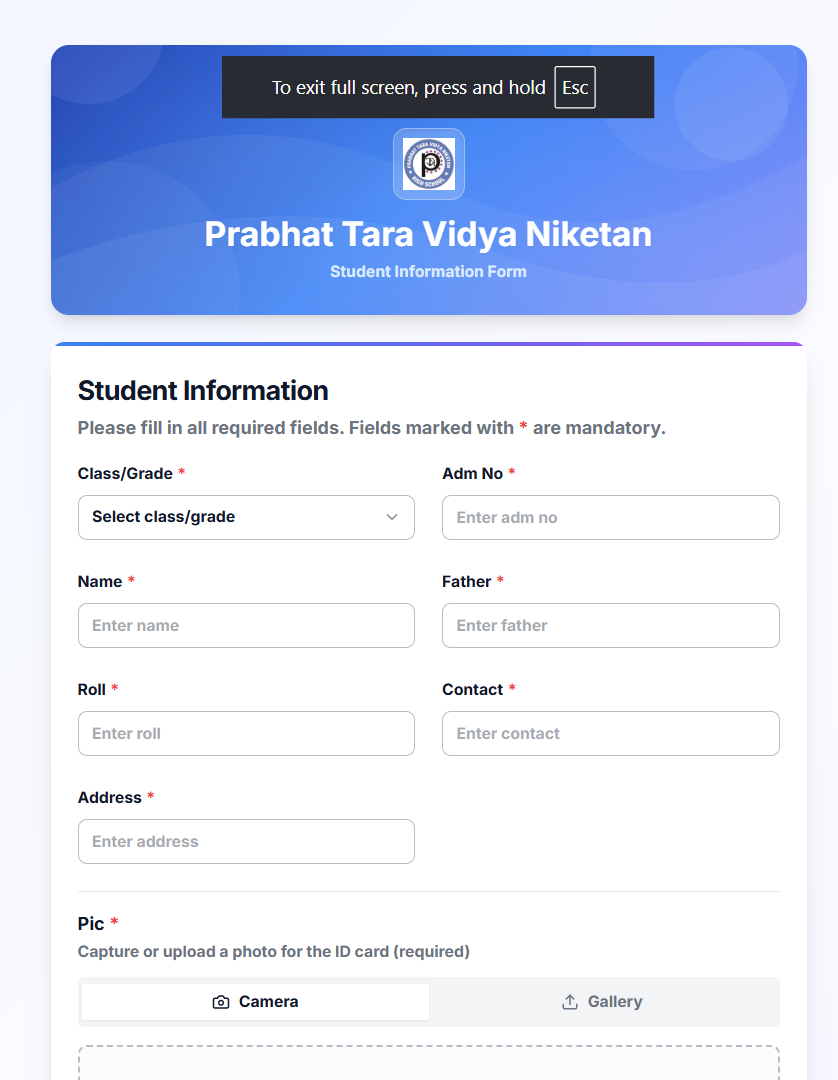
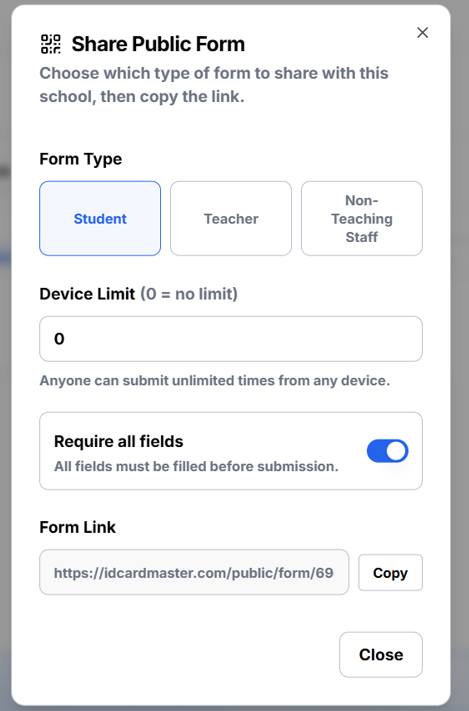
Public Data FormShare a Link. Schools Fill It In.
Share a secure link — schools fill student details & photos directly. No portal account needed. No more chasing schools for Excel files.
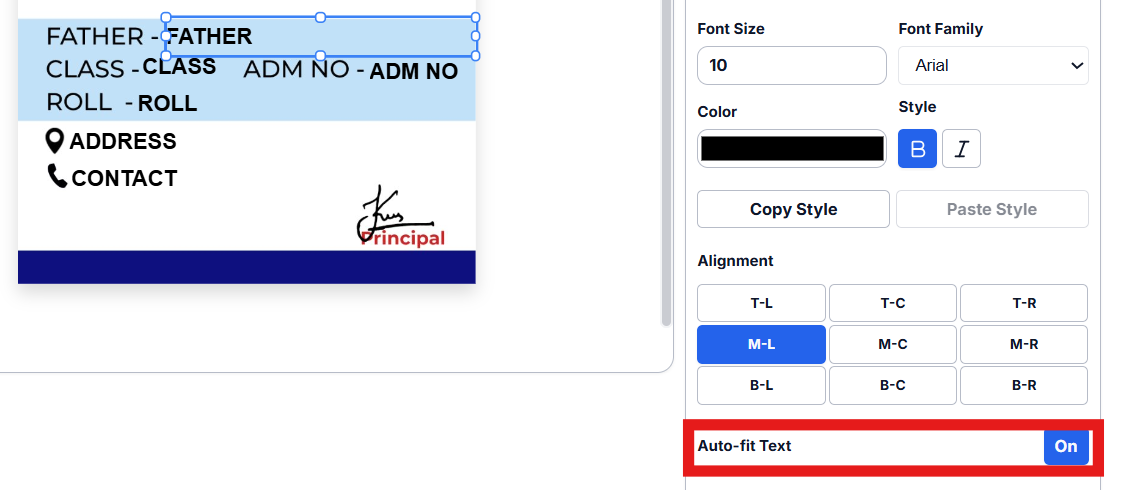
Long student names
always fit the card
Auto-Fit intelligently shrinks font size to keep every name inside its field — no overflows, no manual edits, no broken card layouts. Works on every student, every school, every batch.
ID cards. 5 minutes. Done.
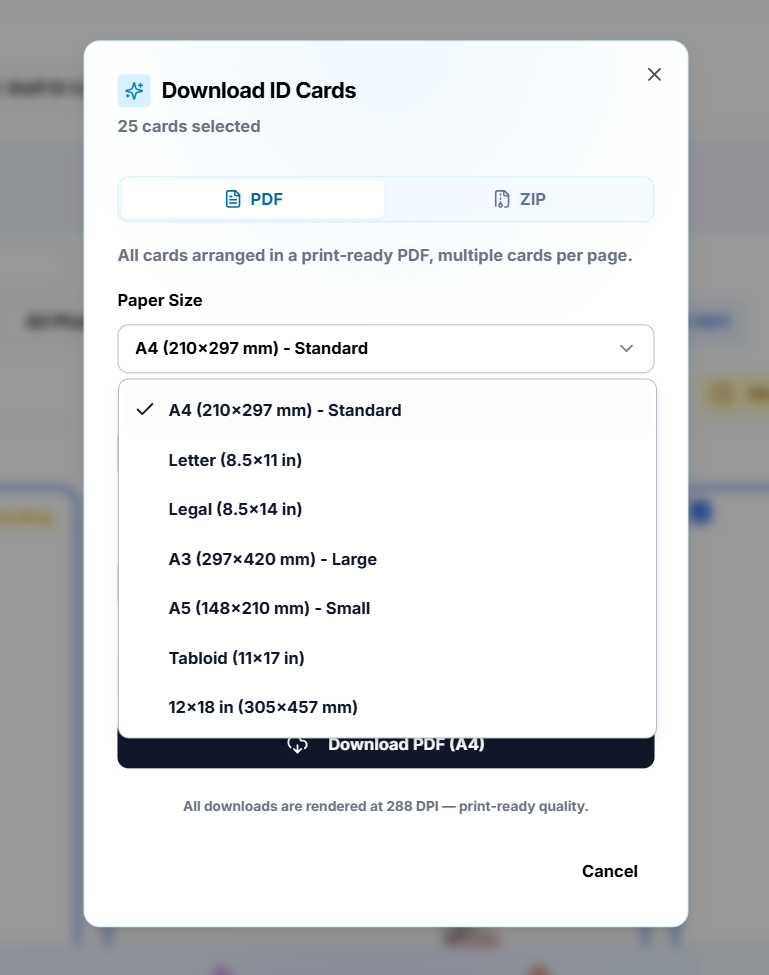
Select all students, pick your paper size, hit Export. ID Card Master batches every student's card into one print-ready PDF at 288 DPI — your entire school order in one go.
Scan any paper form. All students added instantly.
Just take a photo of your registration sheet. The AI reads all student names, classes, and roll numbers automatically — no typing needed.
Capture or upload registration sheets
AI extracts names, classes & fields
Review and import in one click
✦ Each scan uses 2 credits. Review before importing.
Extracted Students
Aarav Singh
Student detected
Priya Sharma
Student detected
Rohan Patel
Student detected
Fix and crop student photos
before printing the card.
Upload any photo and Photo Lab handles the rest. AI detects the face, auto-crops to passport ratio, and lets you fine-tune brightness, contrast, and filters — all before the card is generated.
Collect Data Offline,Sync When Online
Download our Android app to collect student photos and data directly on-field — even without internet. Everything auto-syncs to your dashboard when you're back online.
Free download · Works on Android 7.0+ · No Play Store required
Make ID cards from Excel —works without internet
Import your Excel file, auto-match photos from a folder, design the card once, and generate a print-ready PDF for all 500+ students in 4 simple steps. Everything runs locally on your Windows PC — no cloud, no data leaks.
Windows 10 / 11 · Works 100% offline · No internet required
Why vendors across India use ID Card Master
Other tools make you do everything by hand. ID Card Master does it all for you.
ID Card Master
All-in-one platform ✓
vs. the alternatives

Photoshop
Great for posters, not ID operations. No bulk school data flow, no auto-fit, no card export pipeline.

CorelDRAW
Excellent vector tool, but manual for every season. Repeating card edits school-by-school burns your margins.

Excel
Useful for sheets, not secure card generation. No photo-safe layout engine and no print-ready templates.
Google Forms
Collects data only. You still need separate tools for design, validation, and final printing.
Paper Forms
Slow and error-prone. Digital forms with direct card mapping remove retyping and correction chaos.
Printed Sheets
Verification on paper delays dispatch. Give schools live access and approve updates in minutes.
The old way wastes hours. ID Card Master takes minutes.
Every ID card vendor knows the pain. Here is how ID Card Master fixes it.
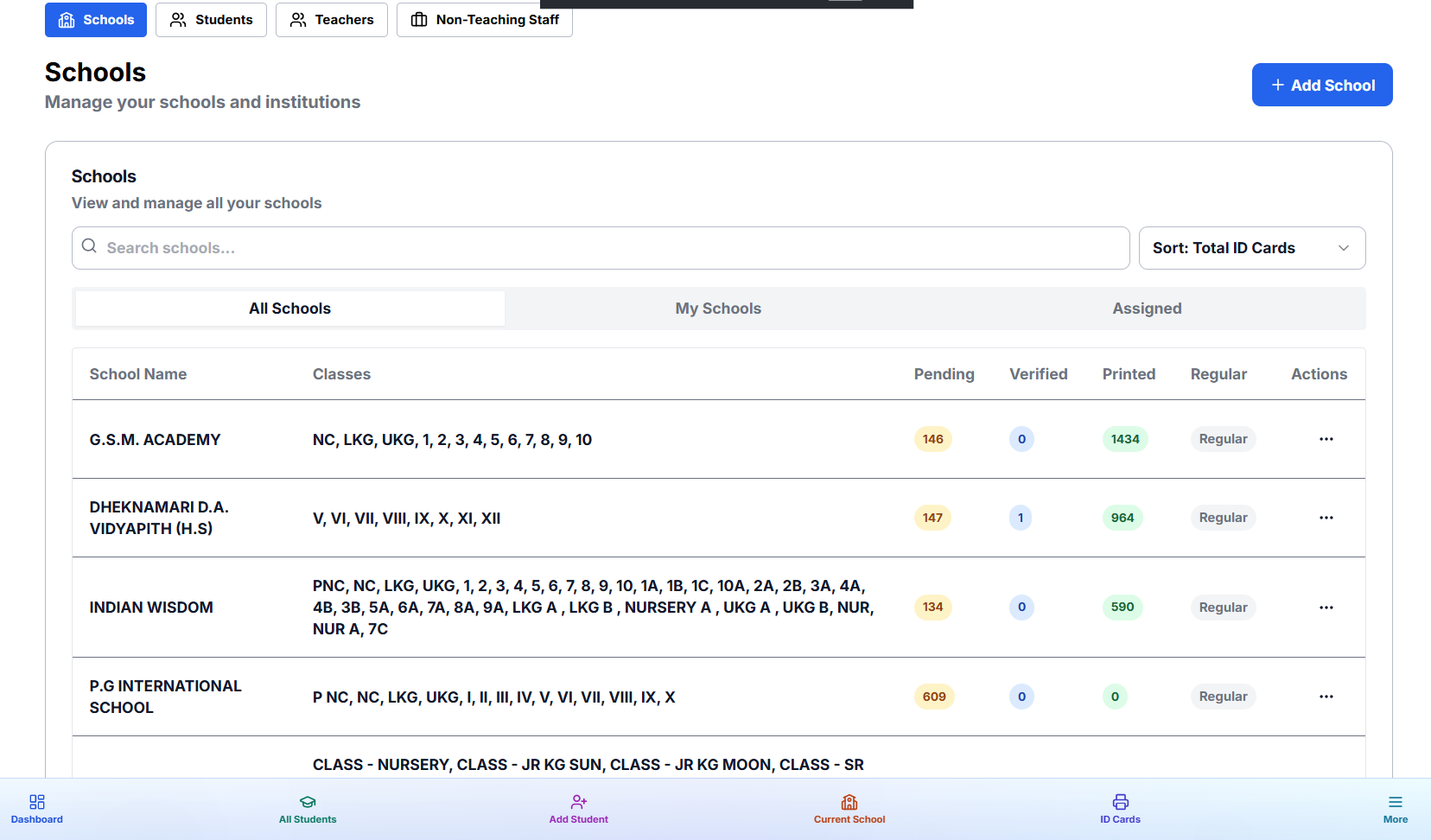
Run unlimited schools from one dashboard
- Each school fully isolated — its own students, templates, credits
- ID card status visible at a glance for every school
- One login, unlimited scale
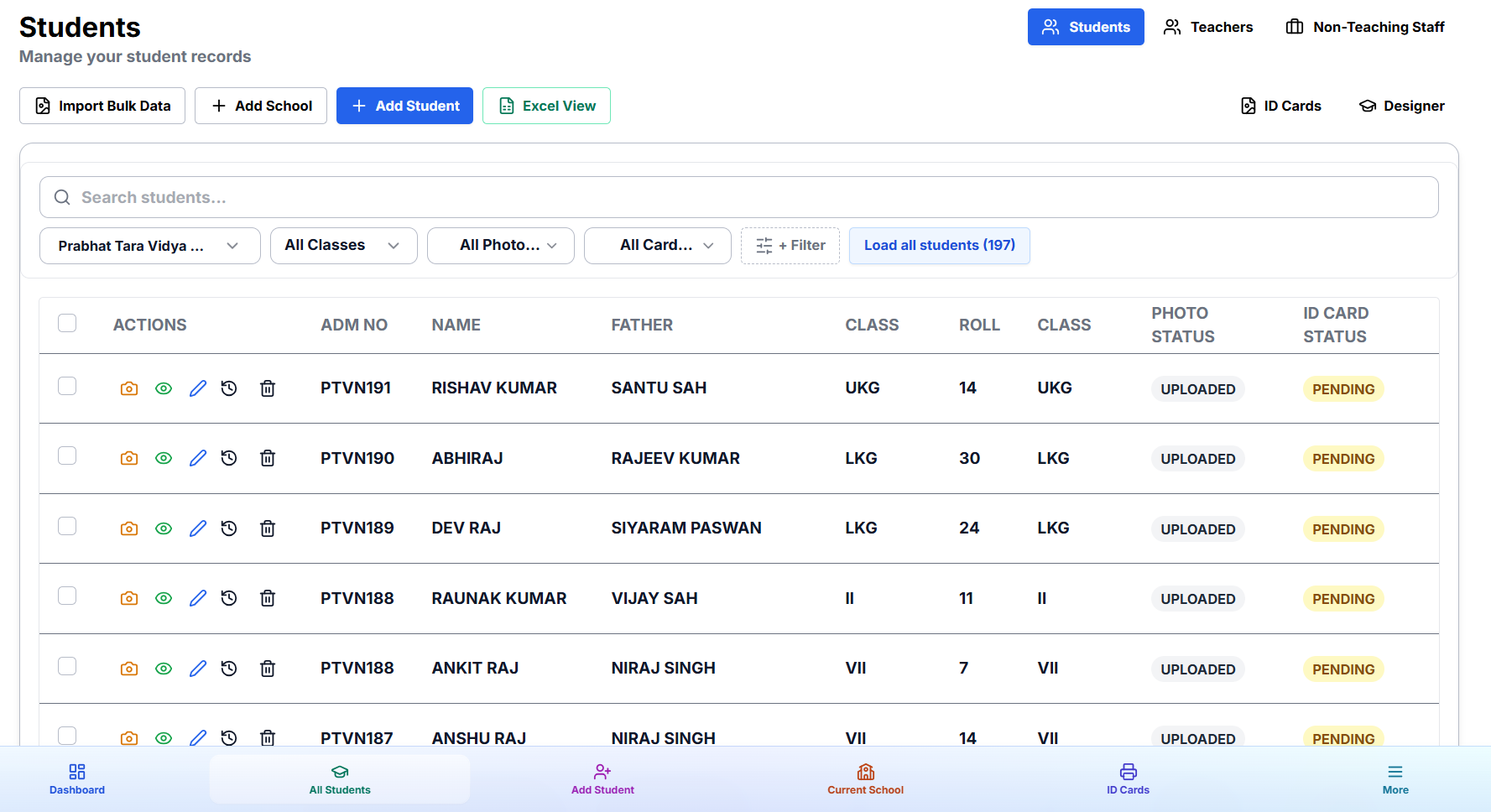
500 students imported in under a minute
- Upload Excel file — students added instantly
- Photos auto-matched by roll number
- Per-student card preview before PDF export
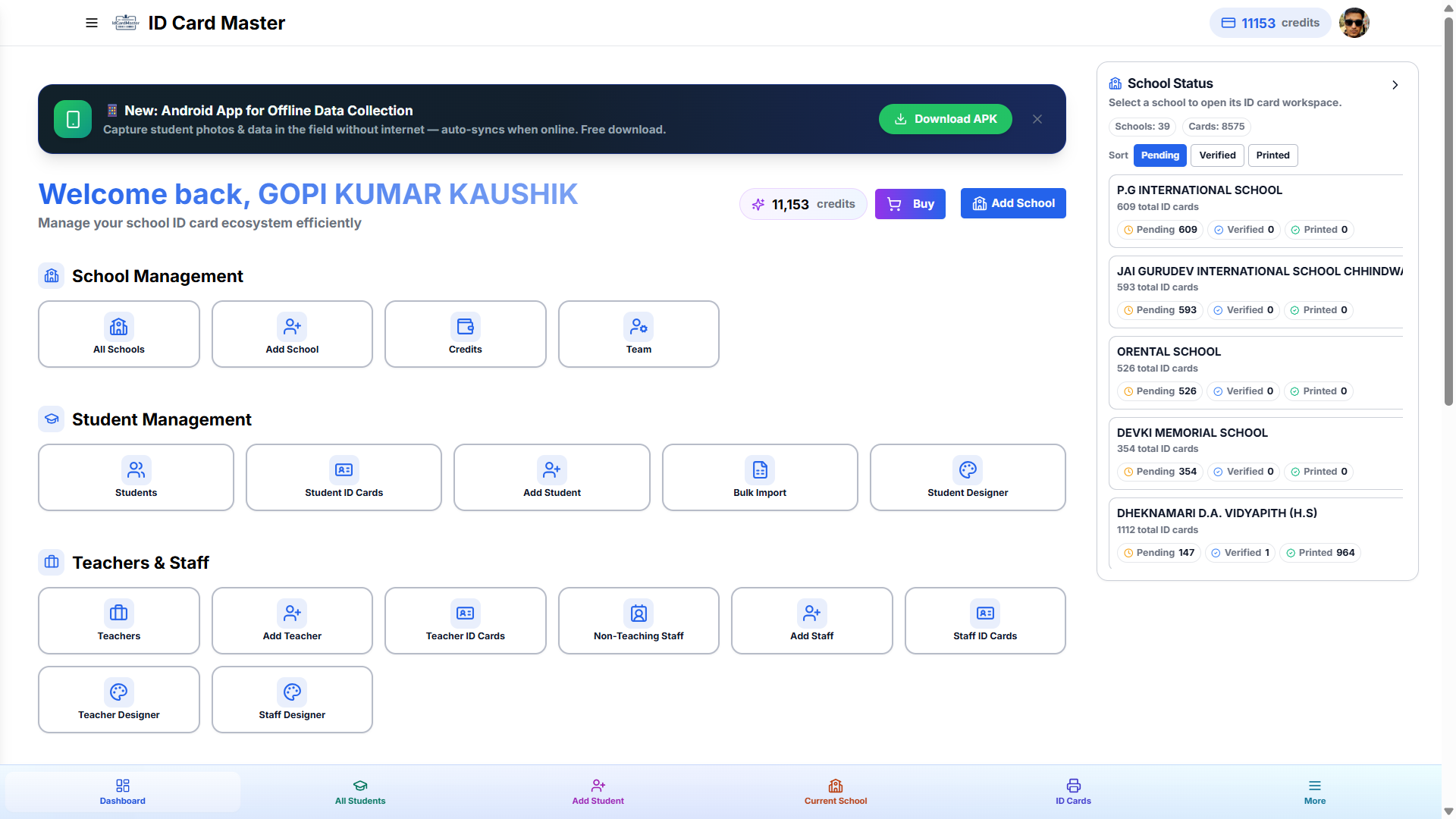
All your schools and orders — visible in one place
- Live stats: cards exported, schools active, credits used
- Quick actions: jump to any school in one click
- Designed for vendors managing tens of schools
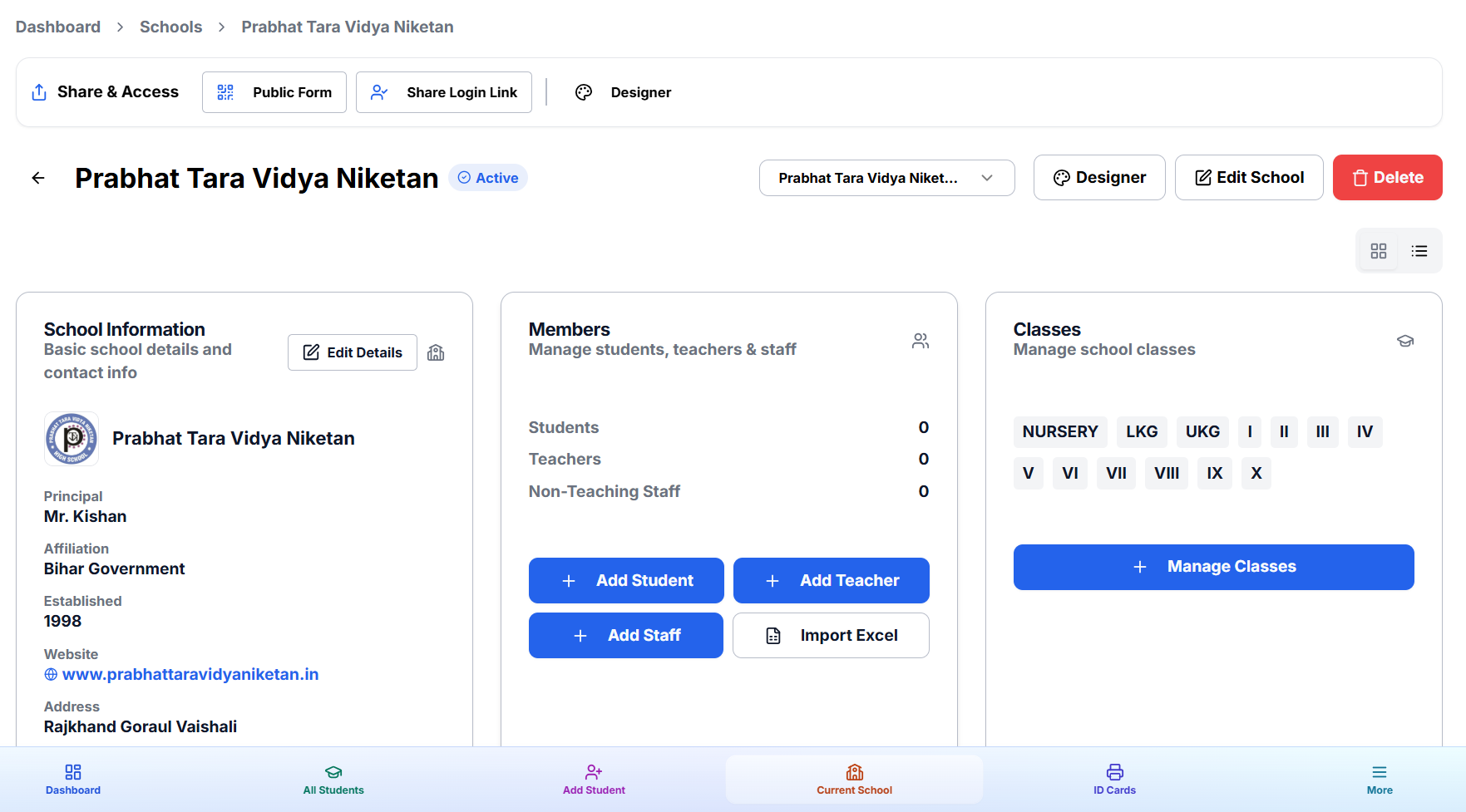
Manage every school — classes, staff, and client access
- Set up classes and staff types per school
- Share login link with clients — no account needed
- Public form link per school for direct data collection
Not just for schools. One platform for every ID card business.
Colleges, coaching centres, NGOs, corporates, clubs, events — if you issue ID cards, ID Card Master already speaks your language.
Every field, every group — yours to define
Need a group beyond Students, Teachers or Staff? Create Volunteers, Members, or anything else — full CRUD, photos, and ID cards.
Every data field on the card is configurable per project — add, reorder, or remove without touching code.
Switch project type anytime as your business grows, from a single school to a multi-vertical ID card operation.
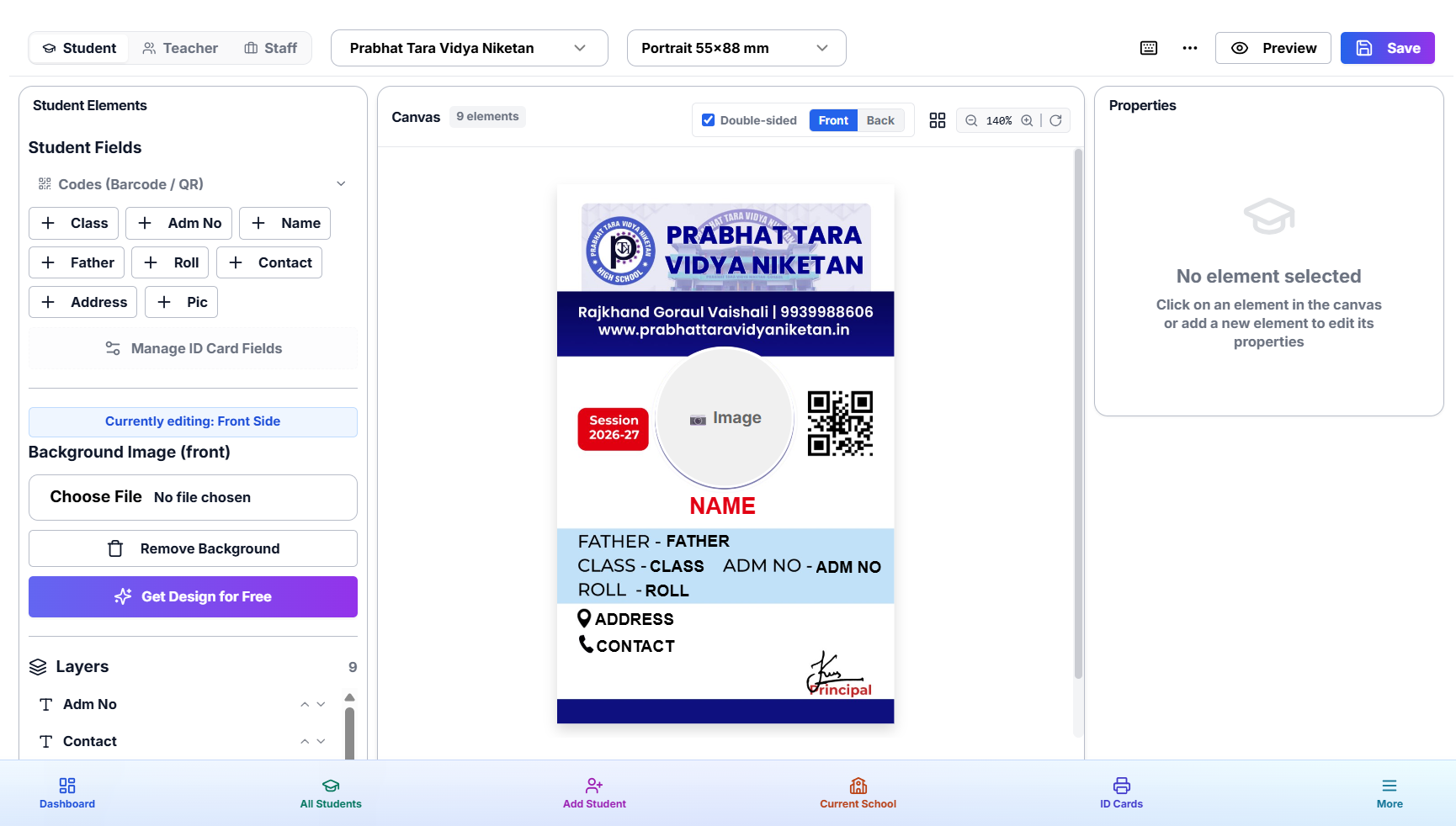
Brand every card. Verify in seconds.
Every ID card carries your school's logo, a scannable QR code, and a barcode — straight from the designer with zero extra steps.
School Logo & Brand
Place your school logo, choose per-school colours, and maintain a consistent visual identity across every card batch.
QR Code Verification
Auto-generate QR codes linking to student profiles. Schools scan for instant identity verification and attendance tracking.
Barcode Integration
Embed roll-number barcodes for library systems, attendance scanners, and existing school management software.
Build your own ID card brand
Run ID Card Master under your own name and your own domain — we power the backend, you keep the brand, the pricing, and the customer relationship.
Custom Domain
Your own domain, fully branded — visitors never see ID Card Master.
Sub-Vendor Accounts
Create and manage sub-vendors under your partner account.
Your Own Pricing
Set your markup on credits — you control the margin.
Full Branding Control
Your logo, your colors, your identity — everywhere.
Everything else you get, at no extra cost
The power tools that keep growing vendors on ID Card Master instead of juggling five other apps.
Bulk Designer
Build one template, drop in a spreadsheet of any size, and batch-generate hundreds of cards with a full generation history.
Print Basket
Queue individual cards from any school or entity type into one basket, then export them all as a single combined PDF.
Digital Identity
Every QR code opens a branded, verifiable public profile — pick from 7 layouts and control exactly what's public.
Excel View
Edit hundreds of records like a spreadsheet — drag to fill, copy-paste ranges, undo — right inside the dashboard.
Bulk Update
Already have data in the system? Upload a spreadsheet to mass-update existing records matched by roll number.
Team & Collaborators
Invite staff or partners with scoped access to specific schools — no shared logins, no oversharing.
Verification & Audit Trail
Lock a record once it's verified, and keep a full history of every edit for accountability.
Custom Fonts
Upload your own brand fonts once — every card template can use them, across every school you manage.
Custom Card Sizes
Not a standard CR80 card? Define and save your own dimensions once, then reuse them on any template.
Lanyard Designer
Design matching lanyards alongside your ID cards in the same drag-and-drop editor.
Affiliate Program
Refer other vendors and earn commission on every rupee they spend — track referrals and withdraw to UPI.
Simple Credit Pricing
1 credit = 1 printed card. Credits never expire — buy only what you need, no subscriptions.
Make Your First ID Card in 4 Steps
Add a School
Create a school profile in seconds — name, logo, address.
Import / Collect Data
Upload Excel/CSV or share a public form link for the school.
Design ID Card
Drag-and-drop photo, name, class, QR code, logo anywhere.
Export & Print
Download print-ready PDFs by class or all at once.
See How It Works in 20 Minutes
Watch the full tutorial in English & Hindi before you sign up.
Master ID Card Masterin Under 10 Minutes
Setup · Import students · Design cards · Export print-ready PDF
✦ Watch the Demo ✦
🔊 Click to Play with Sound
Learn Each Feature — One Short Video at a Time
Short focused tutorials — scroll to find exactly what you need
Getting Started: Login With Google
Create & Manage Schools: Dashboard Overview
Setup School Information & Upload Logo
Create Classes & Manage Class Structure
Configure Student Fields & Custom Fields
Add Students Manually With Photos
AI Form Scanner: Extract Data From Images
Bulk Import Students From Excel & Photos
Excel View: Bulk Edit & Update Student Data
ID Card Designer: Create & Customize Templates
Auto-Fit Text & Preview ID Cards
Add QR Code & Barcode To ID Cards
Generate PDF & Print ID Cards In Bulk
Create Public Forms For Student Data Collection
Share School Login Access With Clients
Student Verification & Edit History
Fix: Camera Permission Denied
← swipe or scroll to browse all 17 clips →
Trusted by vendors across India
From Ranchi to Delhi, ID card businesses rely on ID Card Master.
"Earlier I used to spend 2 days on each school. Now with ID Card Master I finish in 30 minutes. Game changer for my business."
"The bulk export feature is unbelievable. I exported 500 ID cards as PDF in under a minute. My clients are very happy."
"The Android app is perfect. My staff goes to schools, clicks photos offline, and everything syncs automatically."
"We share the public form link with parents and they submit student data directly. No Excel sheet needed at all."
"Managing 15 schools was a nightmare before. Now everything is in one dashboard. Perfect organisation."
"The QR code feature on ID cards is brilliant. Schools love it for attendance verification. Worth every credit."
ID Card Software means IDCardMaster
When schools, colleges, and ID card vendors search for reliable ID card software, they choose IDCardMaster for faster photo workflows, multi-school management, and print-ready exports from one cloud dashboard.